

Attendance: Comprehensive Tracking and Management
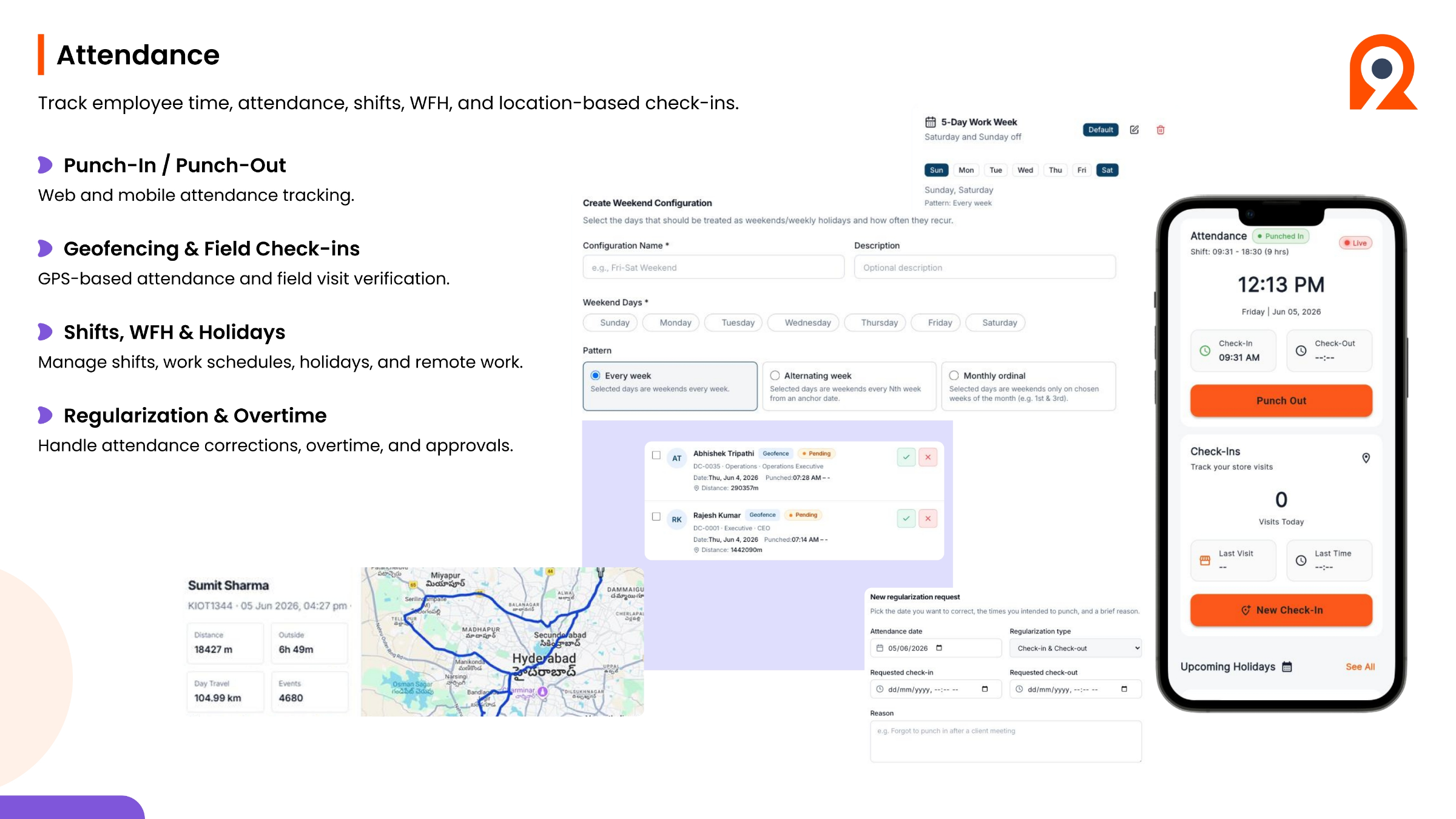
The Attendance module in Ninerole provides comprehensive tracking of employee time, attendance, shifts, work from home, and location-based check-ins. It supports both web and mobile attendance tracking through punch-in and punch-out functionalities. Geofencing and field check-ins enable GPS-based attendance and verification for field visits. The system also allows for efficient management of shifts, work schedules, holidays, and remote work. Furthermore, Ninerole handles regularization and overtime, providing tools for attendance corrections, overtime calculations, and approval workflows, ensuring accurate and fair time management.
Step-by-step guides
Back to all modules · Ninerole HRMS overview
Common questions
How do I punch in and out?
Check in at the start of the day with a webcam photo, and check out at the end with your work report. Full guide
I missed a punch — how do I fix it?
You cannot edit a saved punch. Submit an attendance regularization for that date and it goes to your manager. Full guide
How do I apply for leave or work from home?
Both are self-service requests from your dashboard, and each goes to your approver. Full guide
How do I export attendance data?
Filter by date range in attendance reports and export as PDF, CSV or Excel. Full guide